GBA Development Log 2026
See New Year’s Resolutions 2026 for a bit of context.
Preamble (Before 2026)
- Set up development environment with meson-gba. Reluctantly using MSYS2 since all GBA stuff seems to assume MSYS2 on Windows by default.
- Got hello world with tonc set up. Planning to use tonc as my main dependency since it seems to be the most widely used and solid option.
- Started work on converting the hello world into a “Snake” demo, using 1px snake in the bitmap display mode which the hello world uses.
- Had to refamiliarise myself with GBA memory space layout, IWRAM and EWRAM since I want snake to be able to cover the whole display and I need EWRAM space to do that.
1/1/26
- Got this post setup to log for the year.
- Fix dumb bug in code to wrap the screen.
- Slowed down the snake some more and added a simple speed control
- Respawn apple after eating with a very simple fixed offset movement
- Stop you doubling directly back on yourself
Design Notes Interlude
Anyone playing along may have noticed that the project doesn’t seem to have a real design for what we’re making so far, only the snake demo (which is very much not the real game).
I have been thinking about it and I have a slightly more concrete idea to make a tower defence game. Reasons why this is a good idea:
- I like them and have been thinking about them recently
- There aren’t really any TD games on the GBA (because the genre hadn’t got mainstream popular enough to penetrate through at that point)
- I think it’s technically doable but will raise interesting technical challenges, especially to scale up the gameplay
2/1/26
- Check for collisions with self to lose
- Add a (simple for now) death state/animation
3/1/26
- Split out to start working on a tile graphics version of Snake
- Spent a long time trying to compile and get an image converter to work. I am not a fan of how this image converter is built/structured and even after compiling it was annoying. Only afterwards did I find the names of some other tools in the tonc tutorial which I will try out to see if they suit me better.
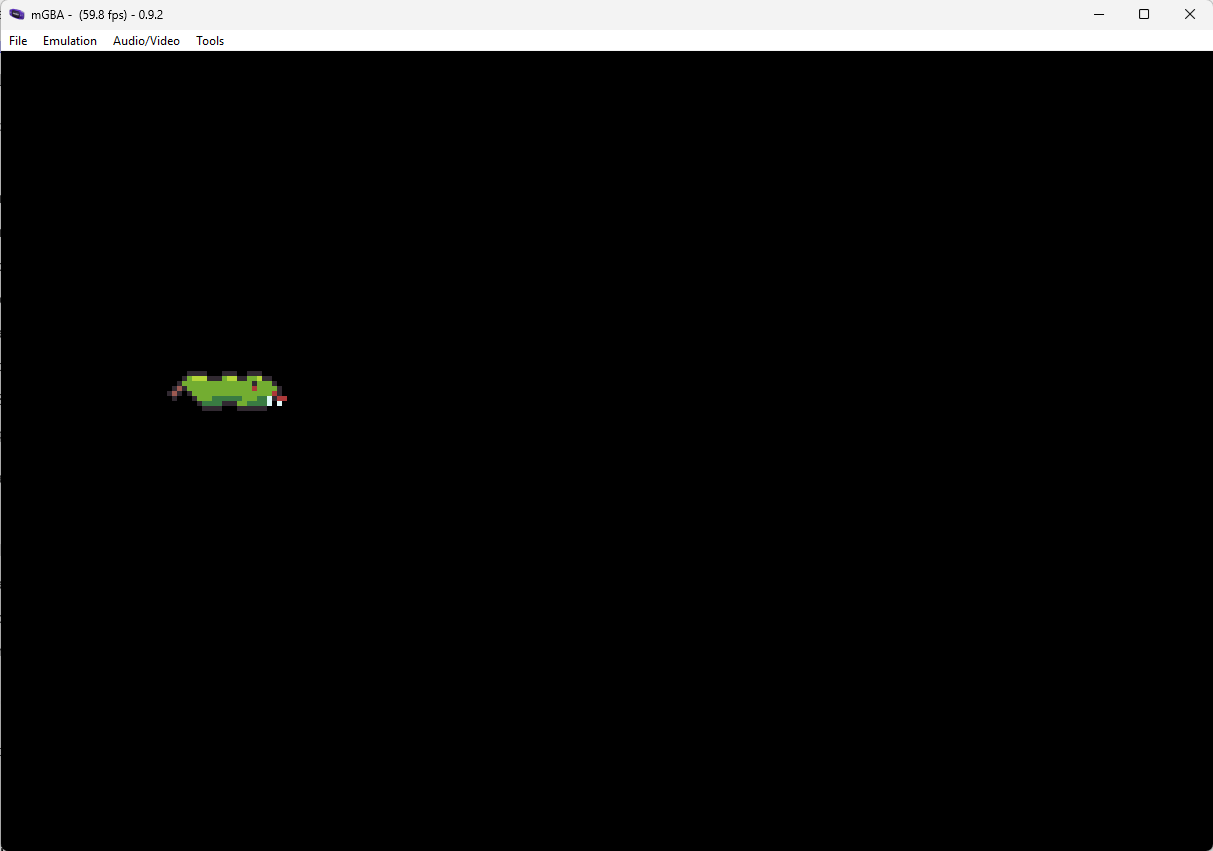
- Anyway I did eventually get a basic snake sprite tiled/converted and display it on screen in display mode 0:
4/1/26
- Getting the same snake gameplay working in tile mode. Little extension to what was there before, but mostly the same logic. We can’t do a full screen-filling snake in this mode because there aren’t enough sprites (128 vs 600 needed to fill the screen). The solution for that would be to use a tile background layer for the snake since we’re drawing him grid aligned anyway. This version is also way more playable already.
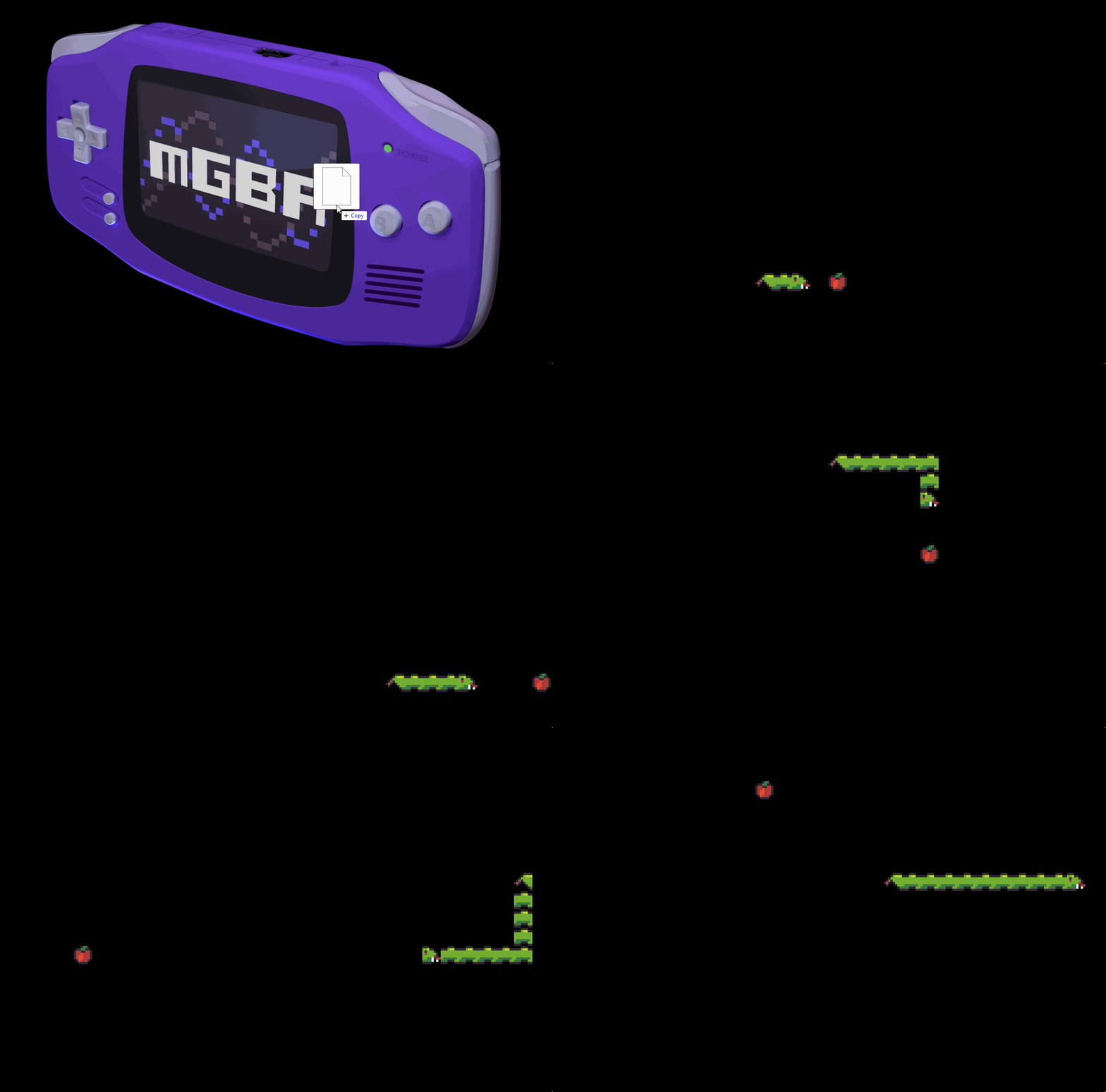
Still needs some work around rotating/flipping the sprites correctly to make him look correct when not travelling down +x direction.
5/1/26
- Tidied up some code warnings that have been popping up for a while
- Switch over to use the s32/u32 style notation already used by tonc for sized integers. Try to use it consistently in my code (and ditch default ints)
- Set up a simple script to build and run the game
6/1/26
Not much time today (may be true on Tuesdays in general)
- Reading about how tile backgrounds work
- Got a new graphics converter - grit. Seems to be widely used and was easy to compile from source. Need to try it properly but seems promising.
7/1/26
- Figured out grit, added to repo
- Switched to using grit to convert the test snake image and 4bpp format. May need a teeny bit of scripting to mangle the output from grit into the right form since the C array output doesn’t compile out of the box. Still like it more than the previous converter I tried though.
- Thinking about palettes and bit depth. I think I will use 4bpp/16 colours per sprite in general as it is a nice limited number. Too many colours in pixel art is scary. I can probably come up with a consistent set of palettes (up to 16x16 colour palettes which feels like a lot), load them at startup and just use throughout. Same applies to background tiles.
8/1/26
- Got correct orientation of snake pieces to make it look a lot nicer. Haven’t implemented corner pieces which would be kinda fiddly, this is enough for this demo for now.
9/1/26
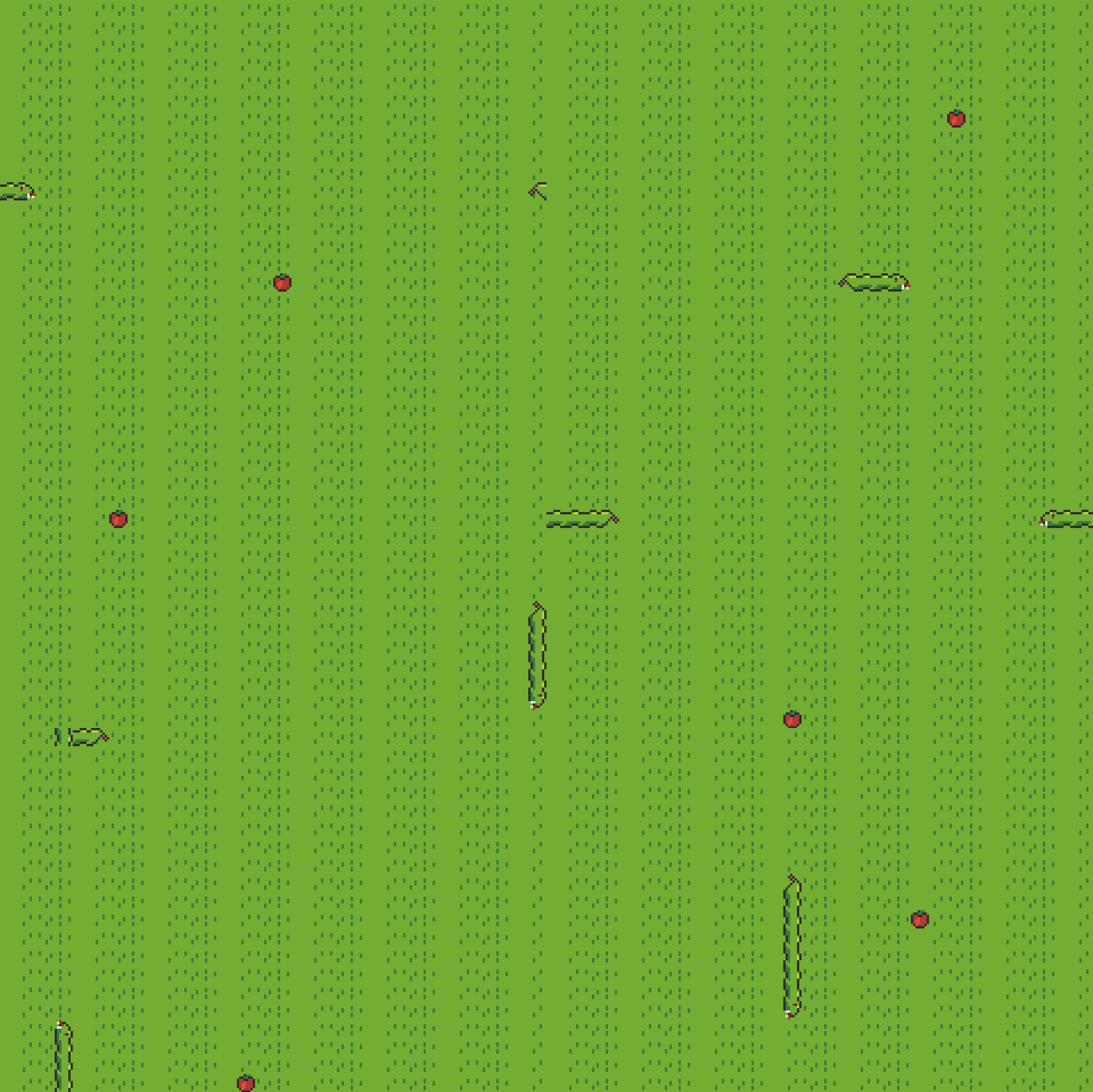
- Set up a basic background with background tiles. This is straightforward to do with the graphics tech we’ve already learned for sprites, just have to set up the right control registers and write a little bit of data for the tilemap into VRAM.
Planning
Now I’ve got into the nuts and bolts of GBA graphics, I think I have a good idea of how to structure tower defence gfx. Sprites are a precious resource, so to scale the game up we want to do as much on tiles as we can. I’m going to stick to Mode 0, I don’t see a use case for affine backgrounds in Mode 1/2. Our general structure is like this
- BG0 - Actual background/terrain
- BG1 - Towers and enemies. These can coexist since the enemies won’t be walking where the towers are. To move enemies, we’ll have animations that span 2 tiles of the enemy walking from the middle of its current tile to the middle of the next tile. We can then fill the screen with both enemies and towers, with the only limitation of 1 enemy per 2 tiles so they have enough space to animate walking
- BG2 - Tower tops and other “foreground” graphics - this will allow us to create some sense of depth and have enemies walk behind them, etc
- BG3 - UI/HUD graphics. I’m not sure if a tile layer is overkill for this, whether we’d be better off using sprites. But it does mean we can pause the game and have the all the rest of the graphics appear correct “behind” the pause menu.
- OBJ - Projectiles and special effects, anything else I can think of. We’ve got the full 128 sprites left to use here so we should be able to get a lot of action on the screen.
Here’s a sketch of what we need to do to get some gameplay working
- Draw some background/terrain tiles
- Make a basic map in some kind of tilemap editor
- Get that map into the ROM somehow, load it up with the graphics to show a map
- Draw some towers
- Make a basic tower placement control
- Draw an enemy with animation to move between tiles
- Pathfind the enemy path from some entrance to a “goal”
- Spawn an enemy animating and moving down the path
- Make towers shoot at the enemy
Phew, that seems like a lot of bits to work through, but when we get through it we’ll have a working TD game to build on.
10/1/26
- Drew some simple bg tiles to start with
- Downloaded the Ogmo tilemap editor, copied it into the project, set up an initial project
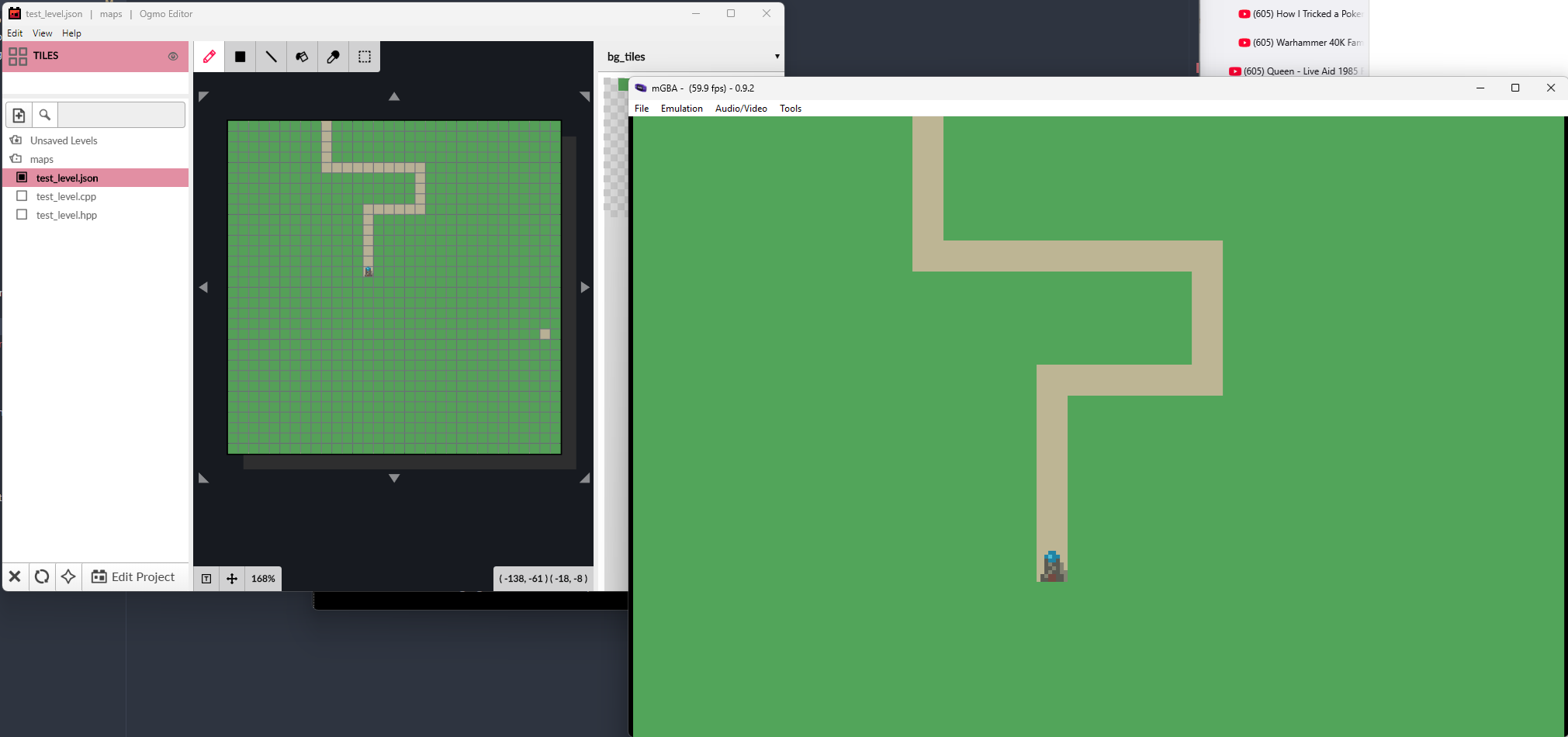
- Made a test map
- Thinking about how to munge the JSON data from Ogmo into C array format. Probably going to write a script in something, I guess Python by default
- Wrote a (very simple) python script to munge images with grit without manual intervention.
- Loading in my background tiles and showing them, although not the map yet
- Wrote a simple script in the same style as the grit script to mangle JSON data from the map editor into C arrays for consumption by the game
- Got test level loading and into the game
11/1/26
- Draw a tower and load it in, draw on another bg layer
- Figure out how backgrounds are layered, turns out I need to reverse the order of BG0-3 from what I wrote above (without using priority to explicitly set order (I will need priority to place the sprites in between tile layers but I can sort that out later, might as well use natural ordering for now))
- Also thinking about how I’m laying out my tiles and map data in VRAM. Keeping it simple with tiles for all layers in CHARBLOCK 0-1, and map data in the last screenblocks counting back from the end. Have left enough space for 2x2 sized maps on the non-ui layers. I don’t think I’ll be hurting for VRAM space so this should be fine.
12/1/26
- Started a small sprite sheet for UI sprite graphics. I’m going to make the cursor a sprite so I can animate it between tile grid positions
- Drawing a cursor and let you move it around (on grid for now)
- Set up the meson build stuff to automatically run my image and map building scripts when needed (the generated sources are now not checked in to git but live in the build directories)
13/1/26
Forgot my laptop today, a tuesday, so only had a bit of time late in the evening.
Thinking about the drawing I need to do for enemies walking around the map as tiles, I’ll need to update a lot of map data per frame, which needs to happen in VBLANK. I could have a queue of things to update in VBLANK or similar but that has overheads. What I’d like to do is just have a mirror of the layer data in RAM and copy it to VRAM during VBLANK as with OAM data. A full size layer is 64x64 tiles x2 bytes = 8kb of data to copy which I think is ok (and fits in fast IWRAM although that is a good chunk of it). I set up a simple system to check that we’re getting all the stuff done during VBLANK we need to:
- Immediately after VBLANK, set a tile in the UI layer to a red x
- Do all our VBLANK critical stuff
- If it’s still VBLANK, set that same tile to a green tick
So as long as we see green tick on screen, we should be hitting our VBLANK timings. In theory it could be so badly wrong we’ve dropped an entire frame to the next VBLANK but I don’t think that’s plausible. I’ll leave this in as indicator and we should know if it ever goes wrong.
I may need to invest in better perf measuring to make sure we’re hitting 60fps, hopefully there’s some way to do that on emulators.
14/1/26
- Implemented placing towers (very simple for now)
- Drew a basic creep moving animation, loading it into the game, need to play the animation
15/1/26
- Played the animation in the simplest possible way
- Thinking about how to handle frame timings for animation - 1 frame/frame is way too fast, don’t want to duplicate data
16/1/26
- Working on tracking creeps moving on a path with a simple animation system
17/1/26
- Working on tracking creeps properly and making animation data driven
18/1/26
- Tweaking animation, actually get it to move around
19/1/26
- Vertical version of animation
20/1/26
- Playing vertical anim/moving down.
Haven’t been very good at making time for this for a bit, today also missed out on the time I should have had at lunchtime due to other factors and got distracted in evening. Will try and make a bit more time in next few days to finish out Jan strong.
21/1/26
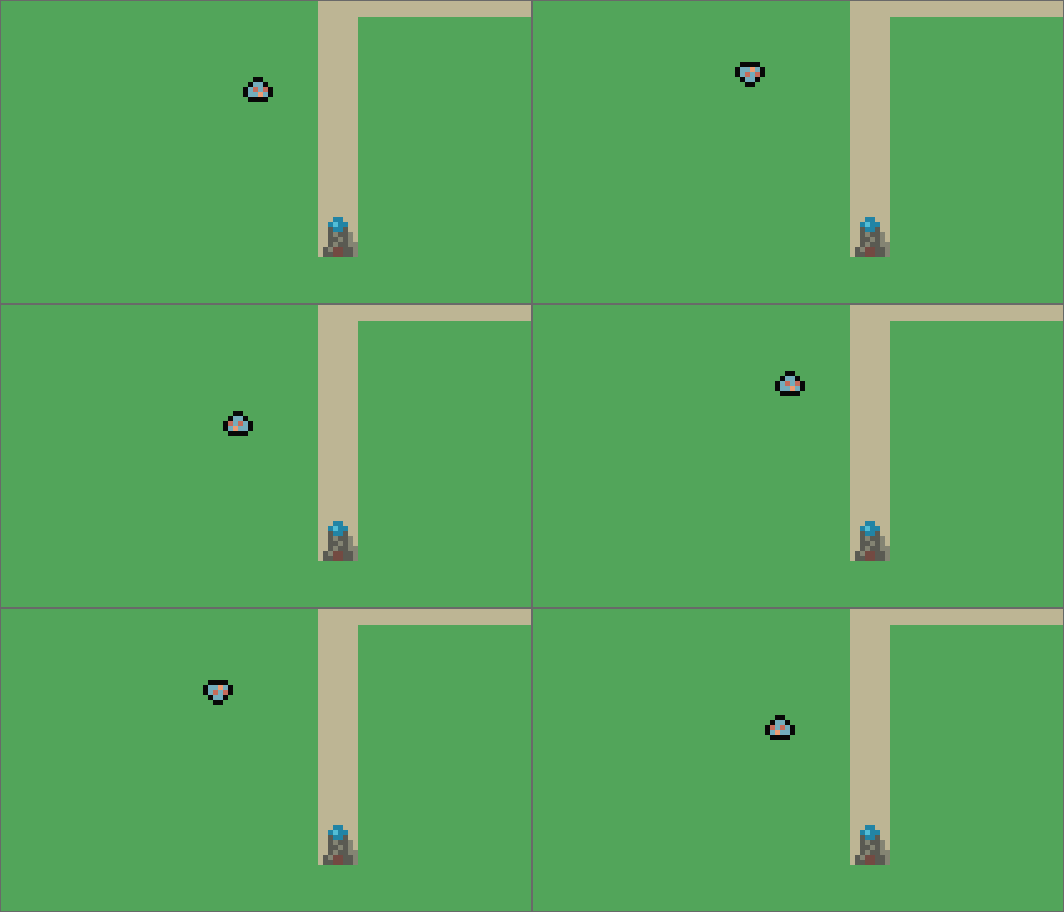
- Get a creep to follow a path (manually defined for now) while animating correctly. Including flipping the animation horizontally and vertically. The horizontal flip is good but it’s clear that the vertical flip is not correct, I guess I should play the animation backwards in this case.
22/1/26
- Playing the animation backwards for upwards movement works as desired.
23/1/26
- Not much time today, small art tweaks.
24/01/26
- Moving code around, getting away from one giant ugly main function
25/1/26
- Working on code for towers actually firing
26/1/26
- Very basic version of tower firing (no vfx) working
27/1/26
- A bit more code on towers to support future use (multiple types)
- A little bit of thinking about planning/next steps
- Thinking about pathfinding, beginning the code
28/1/26
- More work on pathfinding. I believe I’m finding the path now, just need to reconstruct it into the right form for the creeps to move along.
29/1/26
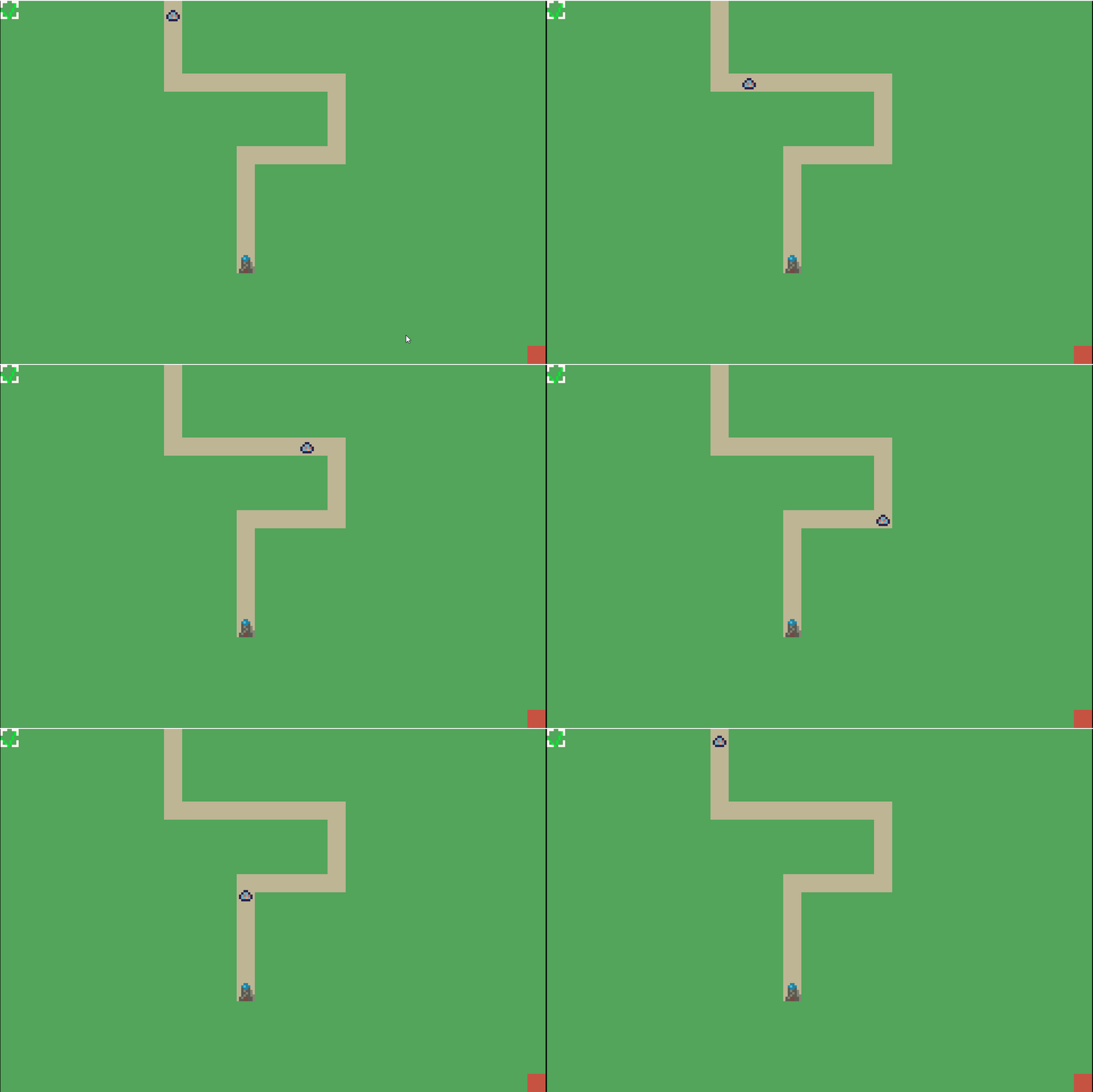
- Pathfinding works! After a bunch of dumb bugs in getting the path reconstructed correctly.
30/1/26
- Tidying up pathfinding code. Experimenting with bitfields instead of packing the pathfinding data manually (using a packed representation to minimise the amount of memory I have to allocate for pathfinding). Need to check the generated assembly isn’t much worse, but the compiler should be able to optimise it to the same pretty trivially(?).
31/1/26
- Switch pathfinding to use a queue (implemented on a circular buffer) instead of a vector push/pop at one end. This means it’s actually doing a BFS and finding the shortest path (before it was greedy and did not find shortest path in trivial cases).
Tomorrow is February which means we are switching to the “make time for at least 1 decent 1 hour+ session every week” mode for the month. Since I have time, I’m going to keep tomorrow as a “week” of 1 day ending on Sunday and then run weeks from there for the rest of the month. In future if it’s not convenient I might make different choices.
Week Ending 1/2/26
- Working on making towers shoot creeps vfx. Created sprites, loading them, drawing them with affine transformation.
Week Ending 8/2/26
- Improving tower shooting, not fully working but I don’t have the brain to wrestle with GBA angle maths right now
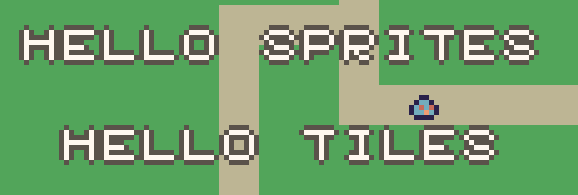
- Drew out a basic 8x8 tile font to set up for rendering text on UI. May want a different font/text drawing solution later but this will get me started.
Week Ending 15/2/26
- Write simple printing code, both sprite based and tile based using the font.
Week Ending 22/2/26
- Building out game flow to switch between “planning” and “defense” phases
Current TODOS/Possible tasks
- Make towers shoot at the enemy